.webp)

.svg)
Create a Sponsored Display campaign: the step-by-step guide
Sponsored Display is a format that, according to Quentin, brands still underuse compared with Sponsored Products and Sponsored Brands. Here is how to set up a campaign step by step, with the choices that matter.
SKYVISION is an agency specialised in Amazon advertising, so our view is biased. Quentin, co-founder of SKYVISION, walks through the setup on screen in this video (11 minutes, in French with English subtitles), published in March 2025:
Before you start: the interface has changed
The video shows the Amazon Ads interface as it was in March 2025. Since then, Amazon has renamed the product: its French page says Sponsored Display is now called "publicités display" (display ads), and that existing campaigns keep running without interruption. The creation menu may differ depending on your account and your country.
The menu and option names below follow the video unless stated otherwise. Compare them with the screen in your own account before you configure anything. According to Amazon Ads' guide (read on 21/10/2026), display ads are for professional sellers and vendors enrolled in Amazon Brand Registry, with no minimum spend. Check your eligibility in your account.
What is a Sponsored Display ad for?
A Sponsored Display ad, which Amazon now calls display ads, targets shoppers on Amazon and also outside it, on partner sites and apps. It is used to retarget someone who looked at your product, a search or a competitor's product, bring them back to Amazon and possibly generate a sale. You pay per click or per thousand viewable impressions.
In the video, Quentin shows where it appears: beside the results of a keyword search, and in several places on a product page. Outside Amazon, the ad shows in placements on partner sites. Amazon describes the same families of placements: product pages, search results, Twitch, third-party sites and apps.
Create a display campaign, step by step
This is the order followed in the video.
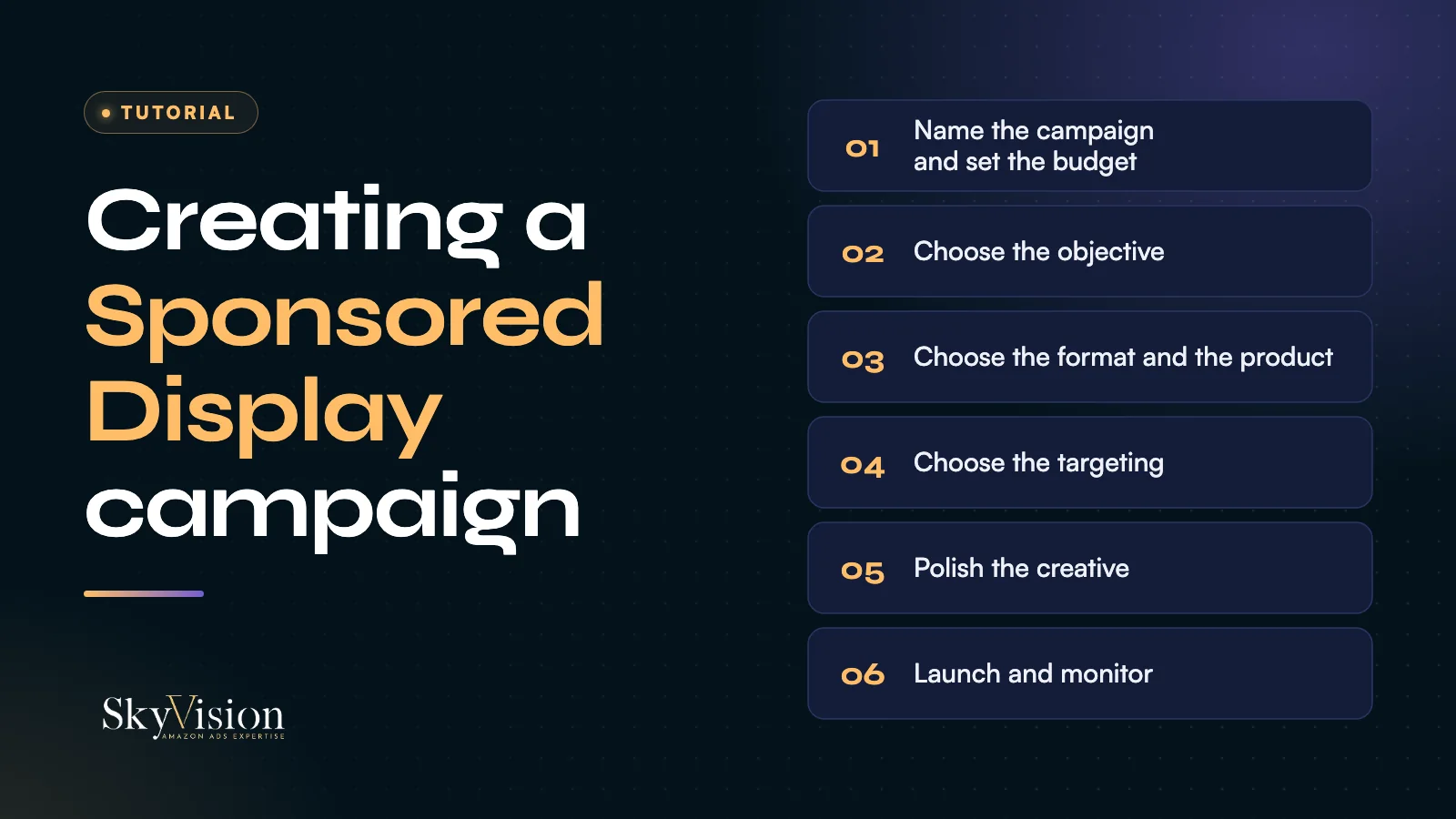
- Open campaign creation. In the video, Quentin clicks "Create campaign" and then picks Sponsored Display. On your account, the menu may have changed name or place.
- Name the campaign, leave the end date empty and set the budget. On his screen, Amazon suggests €100 a day. In his example, Quentin starts from €10 instead and warns that the budget can go very fast. These amounts are a screen example, not a recommendation.
- Choose the objective. Amazon targets people automatically based on it. The video presents three: reach (get in front of as many people as possible), page visit (optimise clicks and visits) and conversion (aim at people likely to buy). Quentin recommends reach or conversion. In his experience, page visit brings many visits that do not necessarily convert, because it mostly reaches people who already know you. He also recommends keeping costs under control, otherwise amounts climb fast. Amazon's guide now names these options optimisation for viewable impressions, for page visits and for conversions.
- Choose the format and the product. The ad can be an image or a video. According to Quentin, across many tests, image converts better and generates more impressions than video, but both work well. You can select several products: if you have variations, he advises adding them all, then narrowing down to the one that best meets your objective.
- Choose the targeting. This is the most technical step, detailed in the next section.
- Work on the creative. The logo is worth adding if your brand is known. Quentin is not a fan of the custom headline: your product title is already optimised, so you may as well keep it. Base images often work well, but a lifestyle shot can help depending on the product (clean laundry for a detergent, for example). Preview the ad before launching it.
- Name the campaign clearly. You will soon have several for a single product, and you need to know which does what.
- Launch. Allow a few hours before the first impressions.
Which targeting to choose in display?
The potential is wide, but it does not run through keywords: you do not target the word "microphone", you target people who search for microphones. Amazon presents two main tactics, contextual targeting and audience targeting. Quentin notes that both reach shoppers on Amazon and outside it. Amazon's guide, for its part, places contextual targeting in the Amazon store and extends audience targeting to third-party sites.
Contextual targeting, where to start
For Quentin, this is the first campaign to launch in display. You target specific products, your competitors' or your own in a defensive logic, or categories. Amazon offers to target products similar to the ones sold. In Quentin's experience, conversion is better when you pick the category yourself, for example the microphone category to sell microphones. Amazon says this targeting can be refined by price, brand and Prime eligibility.
In the video, Quentin sets this campaign at cost per thousand impressions: the bid therefore cannot be compared with a click bid. Quentin mentions a few euros, from €2 to €5, in his example. It is an order of magnitude from a screen, not a rule. Amazon's guide describes two billing modes, per click (CPC) or per thousand viewable impressions (vCPM).
Remarketing: views and purchases
Remarketing retargets people who viewed or bought a product. It all depends on the product.
- Purchases: relevant for a product that gets bought again. In the video's example, dog food bought in the last 30 days: you target those buyers so they buy again from you rather than from a competitor. For a microphone, which is not repurchased, it is of little relevance.
- Views: relevant when the product is expensive and the decision takes time, like a sports watch costing several hundred euros. If your customers take, say, 14 days to buy, you retarget over 14 days. You need to know your category well. For a phone case, bought right away, Quentin would not do it.
Amazon gives 7, 14 and 30 days as example windows, to adapt to your data and your objective.
In-market and interests, for later
Quentin uses them sparingly. He describes the in-market audience as specific to Amazon, with targeting by category. Interests require precise knowledge of your market and a sizeable budget: for a microphone, that would be video game streaming fans. He explains that he does not use them in Europe, where targeting is narrower than in the United States because of data protection, but finds them sometimes useful for American clients. Amazon sorts its audiences into four categories (interests, life events, lifestyle, in-market). Check in your account which ones are open in your marketplace.
Frequently asked questions
Which objective for a first display campaign?
Quentin recommends reach or conversion rather than page visit. He keeps reach for building brand awareness. Amazon's guide recommends optimising for conversions on a first campaign. Either way, conversion is among the recommended options.
Image or video in display?
Both work. According to the tests Quentin mentions, image converts better and generates more impressions. Video is not shown on screen in the tutorial.
Should you use remarketing on every product?
No. Purchase remarketing suits products that get bought again, views remarketing suits expensive products with a long decision. For an immediate purchase, such as a phone case, Quentin does not recommend it.
To choose between formats, read Sponsored Products, Brands or Display: which to choose, then the neighbouring tutorials on Sponsored Products campaigns and Sponsored Brands ads.


